Objective
利用 CSS Variable 和 JS 进行样式属性的控制。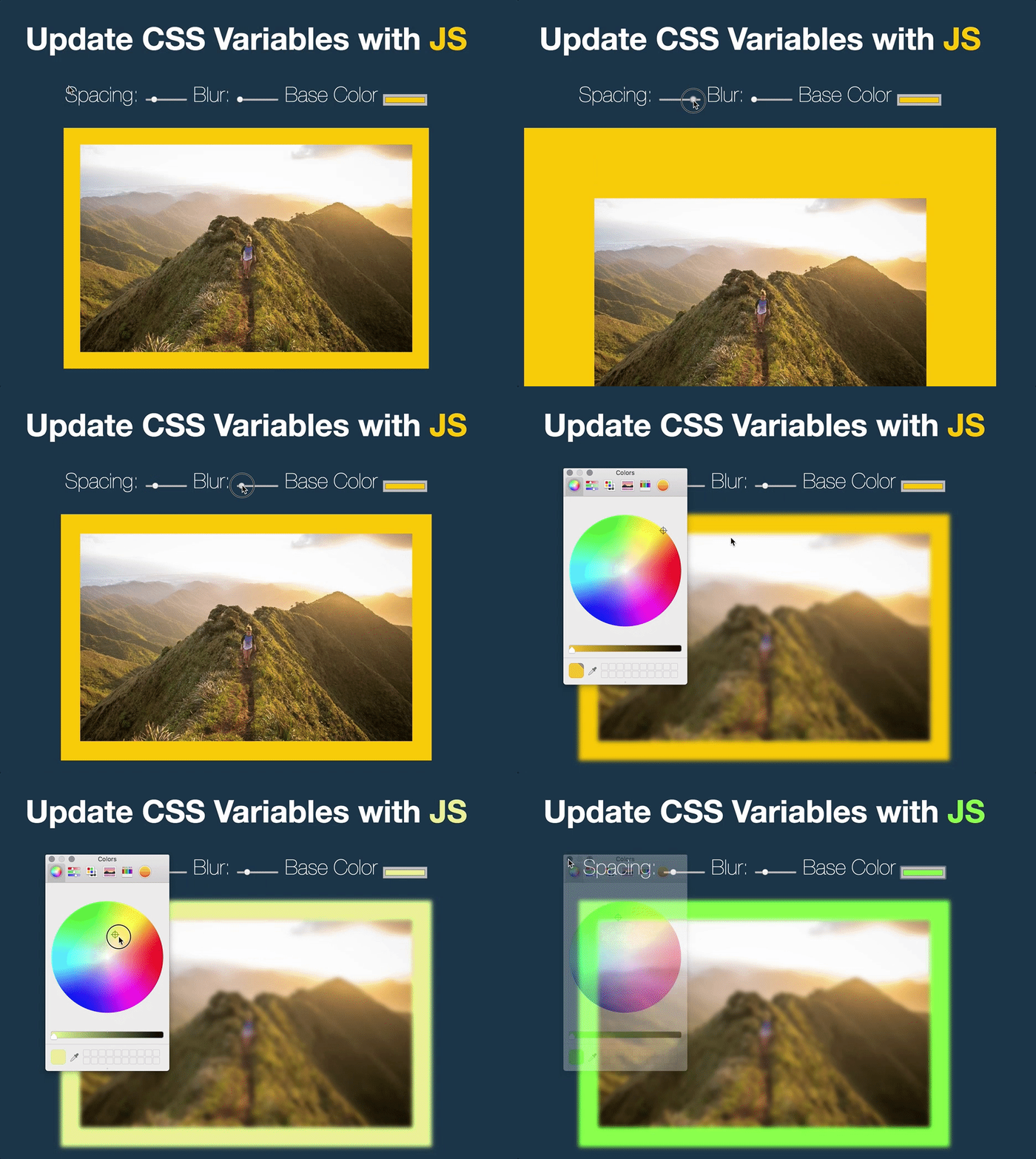
Steps
CSS 部分
- 定义全局 CSS 变量
--spacing, --blur, --base; - 将 CSS 变量添加到样式属性上。
JS 部分
- 对每个
type类型的input标签添加监听器,触发事件有moutsemove,change; - 更新全局的 CSS 属性:
document.documentElement.style.setProperty()。
Things learned
CSS Variable
MDN 文档
一般将 CSS 变量定义在 root element 的 pseudo-class 上,以 ‘–’ 开头
在使用时只要用 var(--blur) 进行调用即可。
虽然 Sass/Less 中也有变量,但其是在编译期完成绑定,原生 CSS 变量可以在运行时改变,功能更强大。
<input> tag
MDN The HTML
<input>element is used to create interactive controls for web-based forms in order to accept data from the user. How an<input>works varies considerably depending on the value of its type attribute.
<input> 标签的基本作用是进行用户交互输入数据,根据 “type” 属性制定输入类型,种类非常丰富:
- type=button: link, menuitem, menuitemcheckbox, menuitemradio, radio, switch, tab
- type=checkbox: button, menuitemcheckbox, option, switch
- type=image: link, menuitem, menuitemcheckbox, menuitemradio, radio, switch
- type=radio: menuitemradio
- type=color|date|datetime|email|file|hidden: None
- type=month|number|password|range|research: None
- type=search|submit|tel|text|url|week: None
这个demo中用到了:
- color: 根据 OS 唤出取色器
- range: 一般用于具体数值不重要,可以根据比例估算的输入,默认值为:
- min: 0
- max: 100
- value: min + (max - min) / 2, min 如果 max < min
- step: 1